What is pcm peak control?’
It’s documented in the v3.0 Release Notes, attached to James’ post.
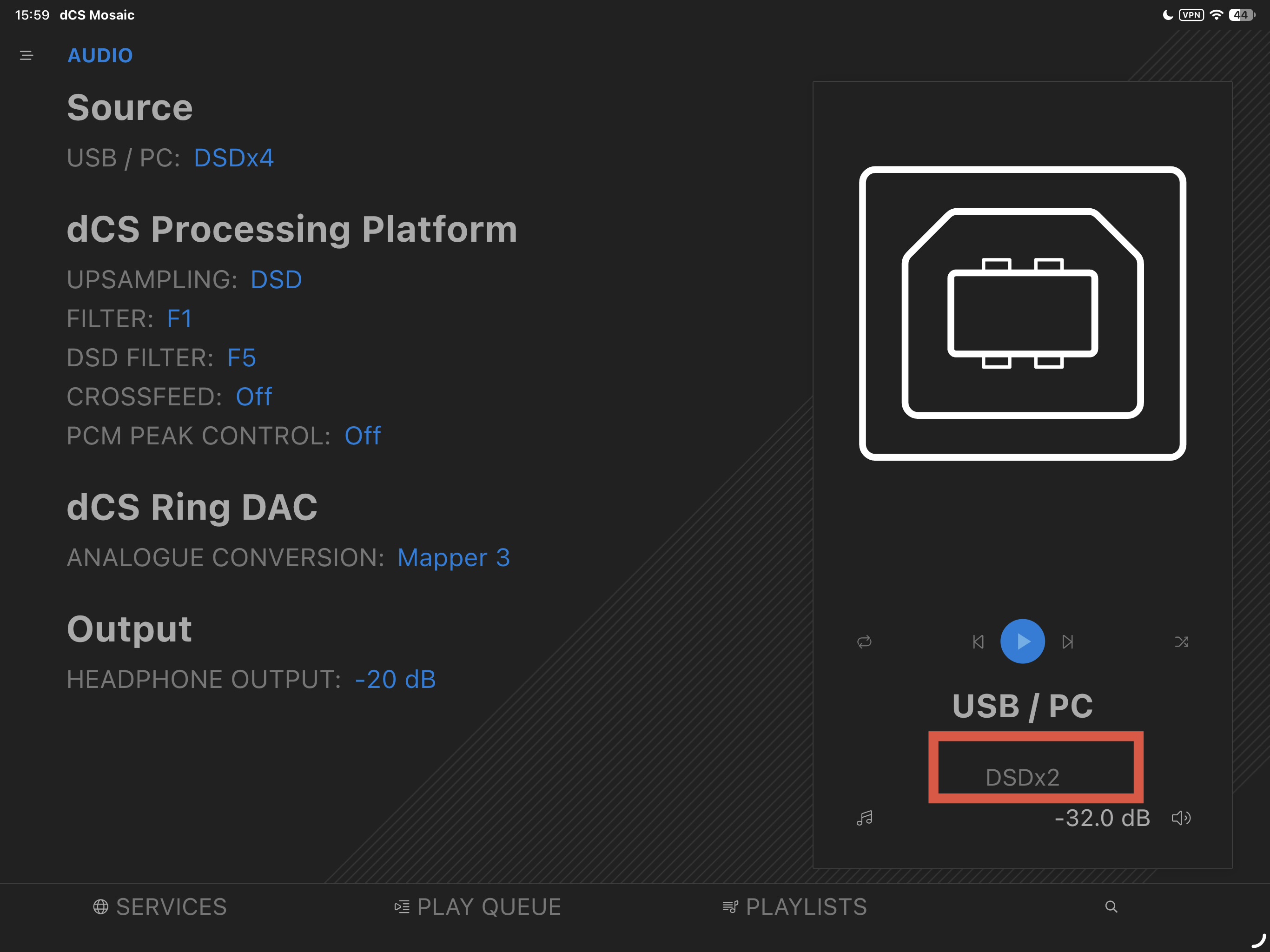
I’ve just successfully installed firmware 3.0 — excellent work! However, I’ve noticed one issue: when playing DSD256 via USB input, the clock indicator on my Rossini player shows “M” (Master clock, i.e., the internal clock). It seems my external Rossini Clock is not taking effect, even though Auto Clock is enabled. When playing other music formats, the clock display correctly switches back to the external W1 or W2.
My Bartok with Rossini Clock seems to work fine with DSD256 and external Clocking. Perhaps you had the USB interface set for the internal clock at some point in the past? Just manually change it while on USB and it’ll remember to use the Auto Word Clock for USB.
Thanks for the reply! While playing DSD256, I tried manually switching the clock to Wordclock 1 (44.1kHz family), but the Rossini player display still shows “M” — nothing changed.
I’m keen on this, but can’t find in mosaic - I’ve updated to 3.00 
It isn’t in Mosaic, you have to set it on the unit itself. Can’t exclude it will be included in Mosaic 2.
I guess the vivaldi One is in the same sotuation, or?
First impression, after listening to the standard PCM and DSD64s -
The microdynamics are at a totally different level.
Great job dCS team !!!
Regards,
Sourav
Can’t be part of the game yet, but it looks like the general consensus is Mapper 4 + filter 4 or 5 for both PCM and DSD content, right?
Yes, same S800 card, same issue.
I participated in the beta test for the v3 version.
dCS has taken the Rossini to another level.
Kudos to the development team—hard work and dedication always lead to pleasant surprises.
Enjoy the V3; it’s truly excellent.
Nick
If the signal exceeds 0 dB, the processor detects this and refines the conversion in a more “rounded” way, rather than simply clipping everything that goes above 0 dB.
My description is very simplistic; someone else on the forum will likely be able to provide a more complete explanation.
Nick
No, sorry. But it is actively being worked on.
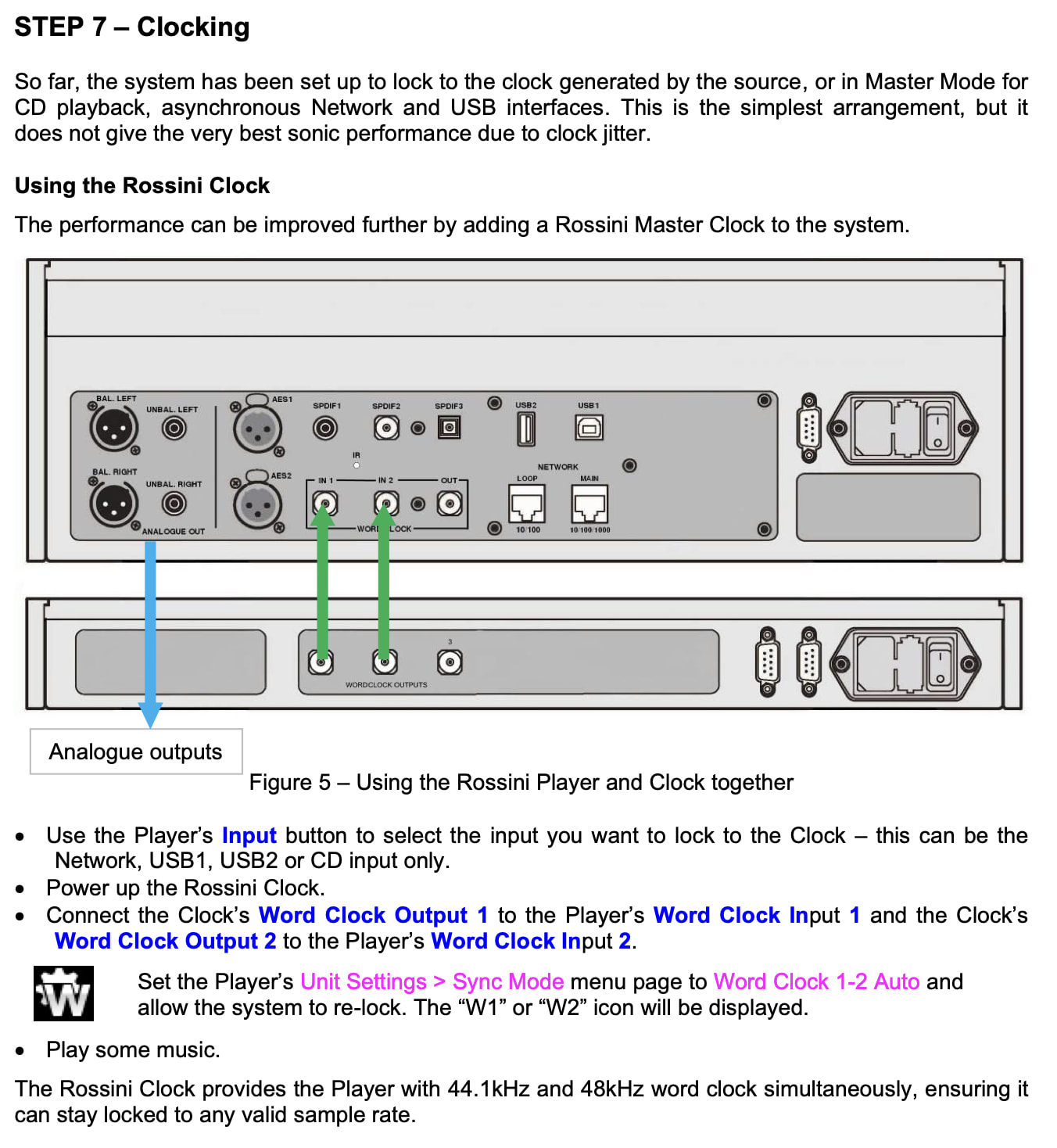
Hi @flashboy, From your description I can’t see you doing anything obviously wrong. The best I can suggest is that you power cycle both units and follow the instructions below step-by-step.
Just to be clear, when you say
When playing other music formats, the clock display correctly switches back to the external W1 or W2.
..do you mean other file formats (such as PCM) via the USB 1 input, in other words that it is only when playing DSD256 files that your Rossini fails to lock to the master Clock? Is this with one particular file or do you have several you can test with?
So far, the Rossini Clock fails to lock only when DSD256 is played via USB — in that case the Rossini player automatically switches to its internal clock. In all other cases, everything works normally: the clock automatically switches between W1 and W2 as expected.
Completely baffling. I’m afraid all I can suggest is that you log a ticket with [email protected].
Will the V3 software be available form non-Apex Vivaldi?
The FPGA firmware is completely agnostic to the DAC board so 3.0 will run on APEX and non-APEX units alike.