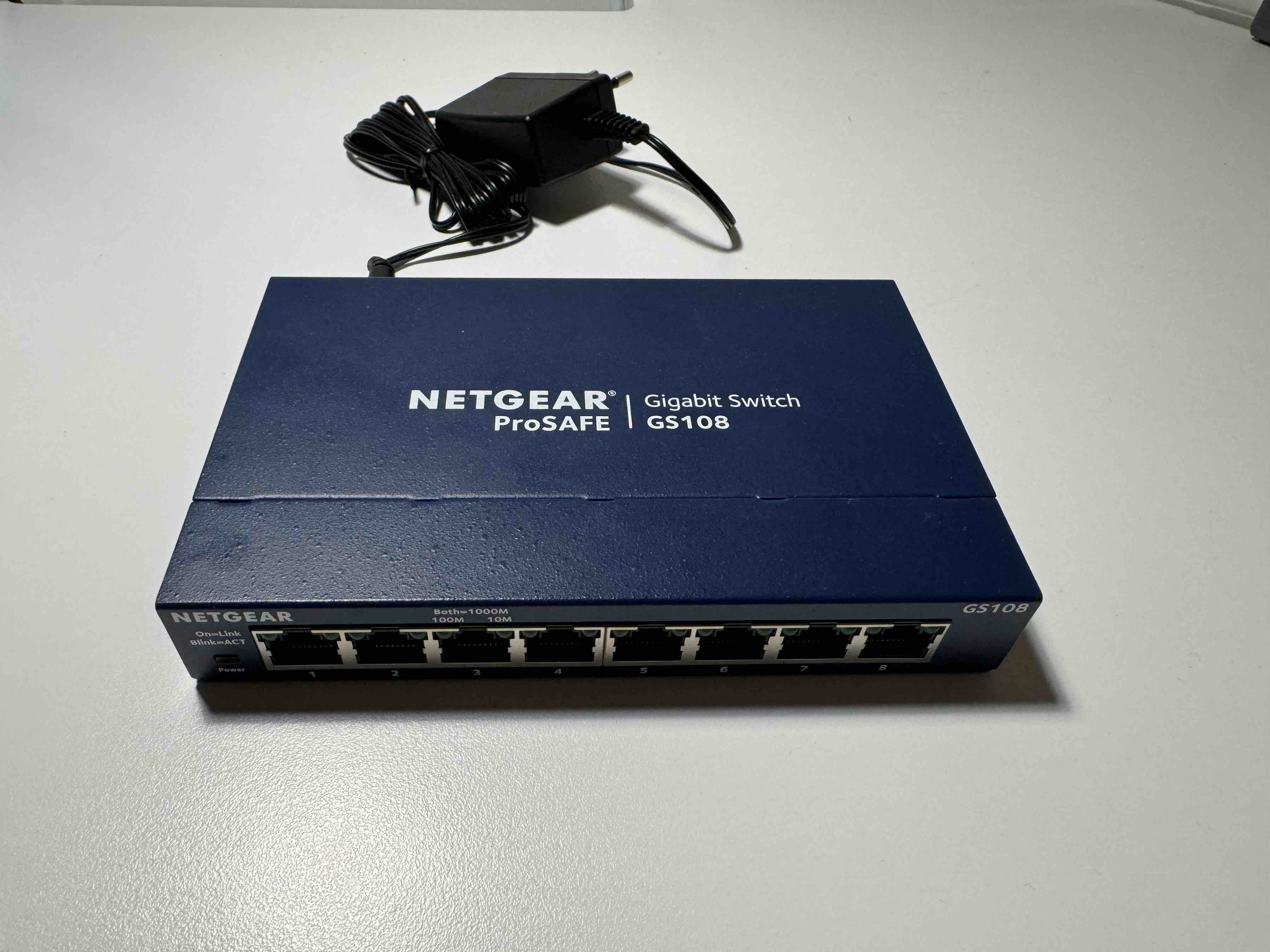
Thanks Stuart. I misspoke earlier. It is not so much a question if it is an L2 or L3 switch, L3 functionality shouldn’t be an issue here as we are not dealing with different LANs/VLANs, but more whether it is a “dumb” switch or a “smart” one that may somehow be interfering with UDP/SSDP discovery (all of which is L2 functionality). According to the data sheet the BS-GS2016 is a smart switch and so, to the extent that the Melco has not disabled the “smart” functionality, it could potentially be screwing things up here.
Your suggestion about the radio networks is a good one but until we have more information about the radio environment (see my questions above) it is hard to know if it is relevant or just an educated stab in the dark.
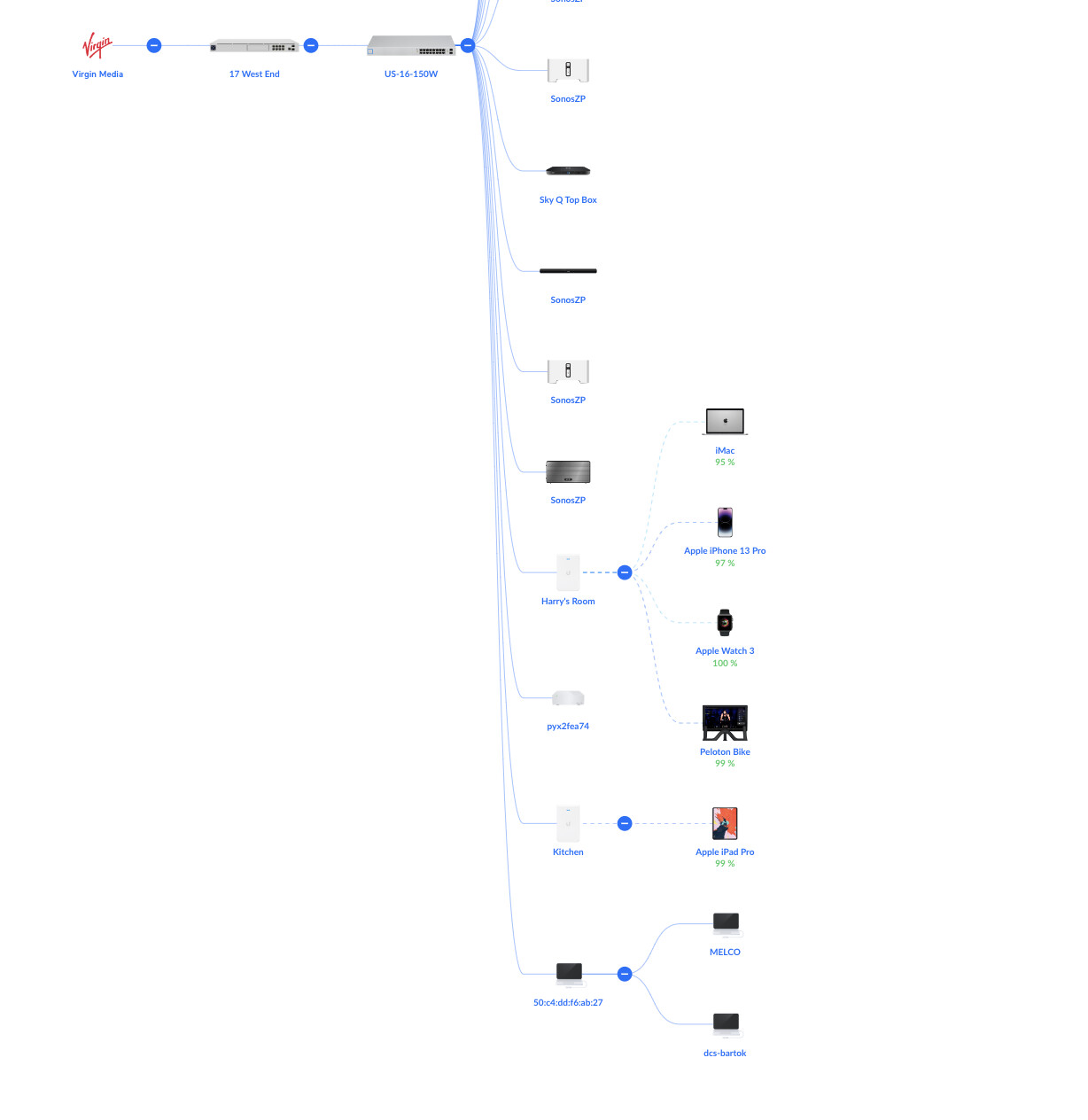
Similarly Jeremy’s suggestion about substituting the Melco for a “known quantity” dumb switch is a good one, but I would like to see the full Network Topology first. The fact that I have yet to see the Bartók on the Network Topology is a possible indication that the Melco is obscuring its visibility, if it doesn’t show up if Nick follows my suggested steps above then I would consider that very strong evidence and then agree that swapping it out as the next logical step.
Gents - thanks for all your suggestions. I’m afraid I’m rather busy so will get to your requests as soon as possible. I’m reluctant to dump the Melco switch having bought the thing I must say and also aesthetically it works for me as I also have the Melco disc drive and back up units as well. I can confirm the Bartok does show on the topology and will post a screen grab when I am home and have a moment.
Sorry if I was unclear, I wasn’t suggesting you dump the Melco, just test the network without it.
There appears to be a group of individuals out there with unexpected issues. If you can show the issue is with the switch, they might be able to get the manufacturer of the board to look into this.
Stuart’s right, the S100 is a pure layer 2 Switch, but (like all Broadcom chip based Switches) it supports some layer 3 visibility features (like IGMP/MLD).
In terms of its firmware/OS, I think it runs a dumbed-down “plug & play” version of what the GS2016 runs, similar to how the Melco N1/NA1 run dumbed-down versions of Buffalo’s LinkStation NAS OS.
Ironically, the Buffalo GS20XX series are very capable Switches, one of the few “consumer affordable” ones out there that supports IGMP Querier mode - meaning you can turn on IGMP Snooping and it’s multicast efficiency and not worry about device discovery as the Switch will periodically query the network for who wants to participate in multicast traffic (and receive responses including from the dCS components).
All that said, it’s actually not quite clear to me what problem(s) we’re trying to fix for Nick.
From his description, it doesn’t sound like he’s having any UPnP discovery problem. The occasional “reconnecting” that lasts 3-5 seconds is normal and has more to do with Mosaic getting a status update from the DAC than anything to do with fundamental layer 2 discovery problems.
If it’s taking 30 seconds or more as Nick mentioned, then thats a problem, but my guess is it likely has to do with a possible soft-reset of the Streaming board then a discovery issue. In which case, Nick should document what he was doing when that happens and email the details to Phil @ [email protected]
Issues around Qobuz streaming, especially if it’s intermittent, likely has more to do with Internet connectivity and or airable than the dCS setup per se.
In any case, I definitely think it’s a good idea to get a proper handle on the exact problem statement before chasing down a solution.
Thanks Anup. Streaming board (mis-)behaviour is not one of my long suits so if we can eliminate the network as a potential source of failure I’ll hand over to others.
You may well be right with your hypothesis, my only reservation is why this is only affecting certain users. I have now carried out about 20 hours of fairly intensive testing with Mosaic and not had any pauses/hangs/blurred buttons whatsoever. The one factor that is definitely a variable in all cases however is the network, especially the wireless one since that varies not just from user-to-user but even over time in each individual case.
I look forward to Nick’s feedback which will hopefully help us ring in the Melco or the wireless network as a prime candidate. If otoh we are able to rule out both then I doubt I am going to be able to help much further.
I cannot see any other wifi than my own in the room where my HiFi is
Since I dedicated an iPad to control the Bartok and left it in the room I have had no issues of pausing to reconnect. I hate to speak too soon but that may be problem solved!
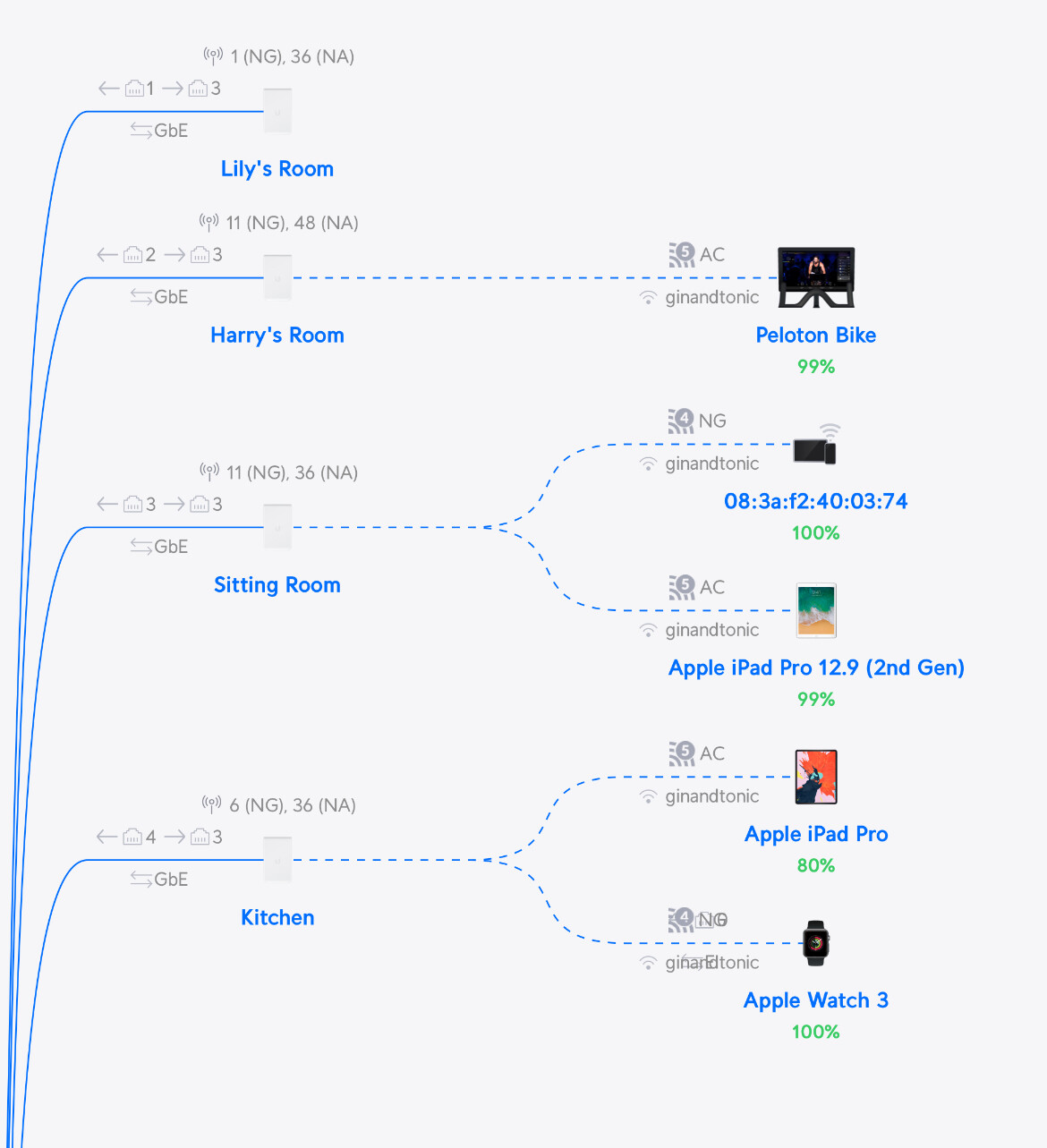
This is really helpful, progress! So in this picture the remote is the iPad connected to the Kitchen AP and the anonymous unit with the MAC address starting 50:C4 is the Melco switch?
I think you had an Access Point in your Sitting Room but if the above statements are true your remote is not connected to it. I don’t know how far your kitchen is from the sitting room and how much clutter (walls etc.) might be in between but this does point the finger a little bit at the disconnects/reconnects potentially being a wifi issue.
In which case if you are able to dedicate the iPad as a remote control I would suggest the following. Create a Wifi network called bartok (Settings/WiFi/Create New) which you only activate on the Sitting Room AP (Broadcasting APs). Forget your main Wifi network on the iPad and connect it to bartok. If the above is correct this may well solve your problem.
Just to be on the safe side please also manually assign the APs to non-overlapping channels per my earlier suggestion if you haven’t already done so, so they are not “shouting at each other”.
Understood. That could well be why it is currently working then. Same advice applies:
Forget “ginandtonic” on that iPad and tie it to the Sitting Room AP via a dedicated WLAN (instructions above)
Move the Kitchen and Lily’s Room APs onto other channels (Unify Devices/{click on each AP in turn}/Settings/Radios/Channel), the rooms closest to each other should ideally be assigned the channels furthest away from each other.
…and see if the problems persist.
Yes, just like VLANs in the wired domain, WVLANs live completely separate and independent lives. Each AP can broadcast multiple WVLANs. So the only effect of this will be to tie your remote to the Sitting Room and ensure it doesn’t inadvertently roam to another more distant AP. Nothing else will be affected at all.
Hi there. I have. I changed some channel settings and also created the new network which I have dedicated to the iPad I am using for the controller. Before creating the new network and changing the channels, having a dedicated controller that remained connected to the network via one WAP seemed to make the main difference. So far so good. Certainly there appears to be less ‘hanging’ and ‘waiting for reconnection’ but I need to spend more time listening before forming a solid conclusion if it is problem solved. Thanks again for all the suggestions.
Exactly, that is the main difference. All the other changes are designed to keep it tied to the nearest AP and make sure none of your other APs interfere (since you don’t appear to have any interference problems with noisy neighbours).


 on that iPad and tie it to the Sitting Room AP via a dedicated WLAN (instructions above)