Hi RG, No, the opposite in fact. The (asynchronous) network interface is preferred, among other reasons, because it avoids any potential synchronization issues. It can’t drift out of sync because it is asynchronous (i.e. not synchronized) to start with.
If network was truly asynchronous there would surely be be no need for a common clock reference sent to each unit for synchronisation by an external system clock where multiple connected units are involved ?
I think you have your wires crossed Pete. We are talking about network (ethernet) and clock synchronization is irrelevant (one could even say meaningless) in this environment. If this weren’t true we would need Master Clocks everywhere for the internet to work.
The dCS Master clock is used to synchronize clocks in units connected over synchronous protocols such as AES3.
Sorry RG. I was convinced it was clear and had to reread it several times to understand why it wasn’t.
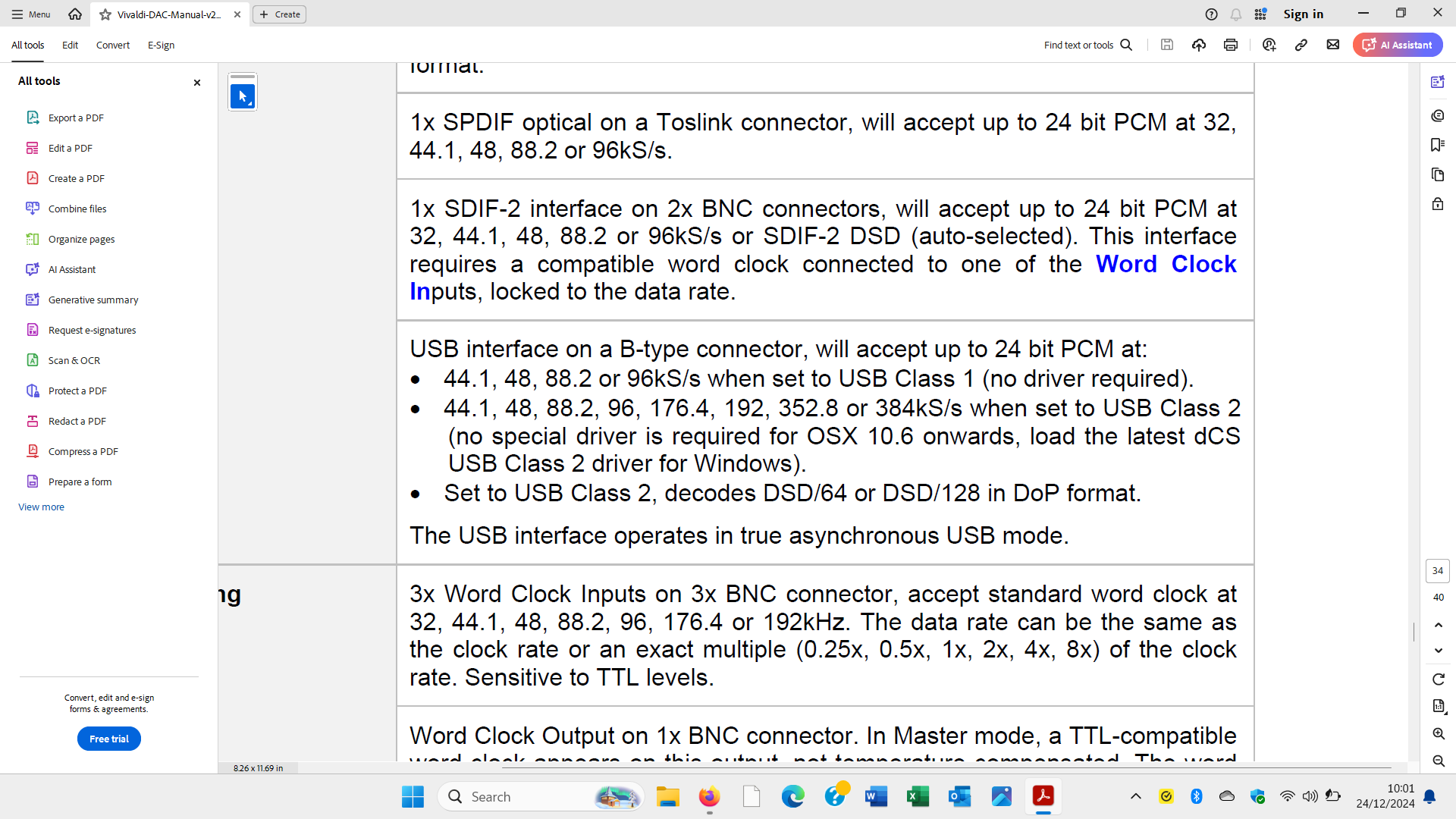
Network (Ethernet) and USB connections are asynchronous and clock synchronization is therefore meaningless (neither necessary nor beneficial) in these scenarios.
Synchronous connections like AES3 and S/PDIF always require clock synchronization to prevent the units at each end drifting apart which results in pops and clicks. In every case the clocking of the actual digital-to-analog conversion is done by the clock in the DAC, but the clocks at each end of the connection are kept in sync in one of three ways:
DAC Clock is the master (source clock slaved). The DAC clock is sent to the source via a separate clock line and controls the drift of the source clock via a PLL. Assumes the source has a word clock input. The DAC clock determines the long term stability so in this case there is minimal chance that an inferior source clock can impact SQ negatively but no chance that the sound quality will be improved either.
Source Clock is the master (DAC clock slaved). The source clock is embedded in the data stream (or sent via a separate clock line) and controls the drift of the DAC clock via a PLL. Assumes the source has a word clock output. The source clock may have better, worse or similar long term stability to the DAC clock and therefore may improve, degrade or make no difference to the SQ. Note: source components with a Word Clock output implicitly assume that the clock in the DAC they are connected to has poorer long term stability than their own.
External Master Clock sends its clock via separate clock lines and controls the drift of both the source and DAC clocks. Iff the external clock has better long term stability than the DAC clock (which all dCS Master Clocks have relative to their matching DACs) the units will be kept in sync and the sound quality will also be improved.
However, we have clarified many things about this post, at least for the less experienced. In the meantime I have done several tests but without results. With my Rhein Z1 V2 whether I connect it with ethernet to the second output of the Rossini or whether I connect it to a router, I cannot read the files of my library on Mosaic “No UP server available”, however if I use Roon it normally reads the library both by connecting Ethernet to the second output of the Rossini and by connecting the Rhein Z1 V2 to the router. Mystery of faith.
Had same issues with the early version of some Ansuz switches. Roon works, UPNP was blocked (means “No UPNP server available”). IGMP Snooping was the issue if I remember correctly. Try a different switch if may suggest Pino!
It is really frustrating when you just want things to work and they don’t, I can only sympathize.
Unfortunately neither I nor my colleagues in dCS customer support have any experience with the Rhein. The information on the website is far from comprehensive and the manual is really just a Quick Start Guide (QSG) that doesn’t cover much more than connecting things up. This is about all I have been able to glean:
The only modes of operation that the Rhein supports as far as I can see are:
As a music server (selecting music via the Rhein app from internal or attached drives or streaming services via the network connection) with its output connected to an external USB-attached DAC.
As a Roon Server and/or Client attached either via USB or via the network connection.
I can find no mention of UPnP support anywhere. For Mosaic to be able to play music stored on this unit it either needs to host a UPnP server which is accessible via the network, or it needs to be able to present its internal storage as a NAS and be addressable by an external UPnP server hosted elsewhere. I can find no mention of either of these modes of operation. The website claims that you can connect a NAS, not that the Z1 can operate as one.
The QSG suggests connecting the Rhein to the DAC via USB, it doesn’t cover the case where the Rhein is only connected to the network (although apparently the internal Roon server is addressable in this mode).
I’m prepared to be proven wrong on any of this but this is what I have been able to deduce from the scant public information. So if I am correct your problem is that the Rhein doesn’t support the mode of operation that you want it to, rather than that there is any problem with your Rossini per se. I can only suggest contacting Silent Angel or the dealer you bought it from for further clarification/support. Sorry we can’t be of more help.
ReadyMedia:
ReadyMedia (formerly known as MiniDLNA) is a DLNA server for VitOS devices with installed data disks. With ReadyMedia installed on this VitOS device, you can use DLNA-compatible devices or software to browse and play music on the data disk.
You need to install and make sure to run ReadyMedia if you intend to use Mosaic as a UPnP Control point for your Z1
As a premise, I installed a streaming device at home (naim Muso2) where as soon as it was connected it immediately saw the library downloaded onto the Rhein V2, which is connected to the Ethernet network at the Rossini loop output. The question I ask is the following: why does the loop output work contrary to what Rossini’s instructions describe? because the Rossini itself does not detect any UPnP server nor does it detect the Mac mini where I installed minimserver. Really frustrating.
Looks like you’ve got a lot of things being tested for the first time? My suggestion would be to focus on solving one thing at a time, don’t try to do too many things.
Here’s a couple of suggestions;
Stop using the Rossini Loop port - always follow dCS’ recommendation and the manuals
Connect all your devices into a single Ethernet Switch - Rossini, Z1, Mac/MinimServer, etc, connect them all to just one Ethernet Switch. Use a simple unmanaged Ethernet Switch. If you’re only using an Internet Router with no additional Ethernet Switch, then be sure to connect everything to the Ethernet ports on your Internet Router.
On your Mac/MinimServer, if it’s running MacOS Sequoia (15.x), be sure to enable “Local Network Access” for MinimServer under MacOS → [System Settings] → [Privacy & Security] → [Local Network]
Get your basics working properly - Mosaic connectivity to your Rossini. Tidal/Qobuz/Internet Radio streaming services to your Rossini
If you’re still having difficulty, I’d suggest enlisting the help of your dCS dealer to get your Rossini to UPnP/MinimServer working. It’s likely the quickest way to getting it working rather than relying on the dcs.community to help you solve this remotely.
Make sure to update to the latest version of MacOS Sequoia. There was a bug which prevented this setting from “holding”, and it needed to be continuously enabled. I posted about this issue several months ago on the MinimServer forum. Last week Simon posted that the latest update to Sequoia appears to have resolved this problem.
Just to clarify - the Rossini instructions say “The Network Loop connection on a second RJ45 socket is intended for future expansion and its use is at this time unsupported”…
Again, just to clarify - at this time, use of the “Loop” Ethernet connection is something that we are reserving for the future and as such have not yet allocated a defined and documented functionality to - this does not mean that the port is “dead” (and at this time we can use the Loop port to assist us sometimes with diagnosing some network issues), just that its use is unsupported (as has been discussed above) which means that if you decide to use it for anything and have problems then we will likely - as part of us supporting you - get you to remove the connection to the Loop port to ensure that that is not causing an issue and connect up the network as described in the Rossini manual.
I see that you have dropped an email to support@ over the Xmas holiday so I’ll get back to you on there as there are a number of things that I would like to confirm / get you to try…
Now it’s clearer to me, loop output is not managed but still has limited operation. In fact I normally use ROON and see my library from anywhere else on the net except Rossini himself. Okay, I’ll try to disconnect the LOOP output and use a network switch like everyone else as you specified. Thank you for your support and I look forward to reading what you write to me in the email.