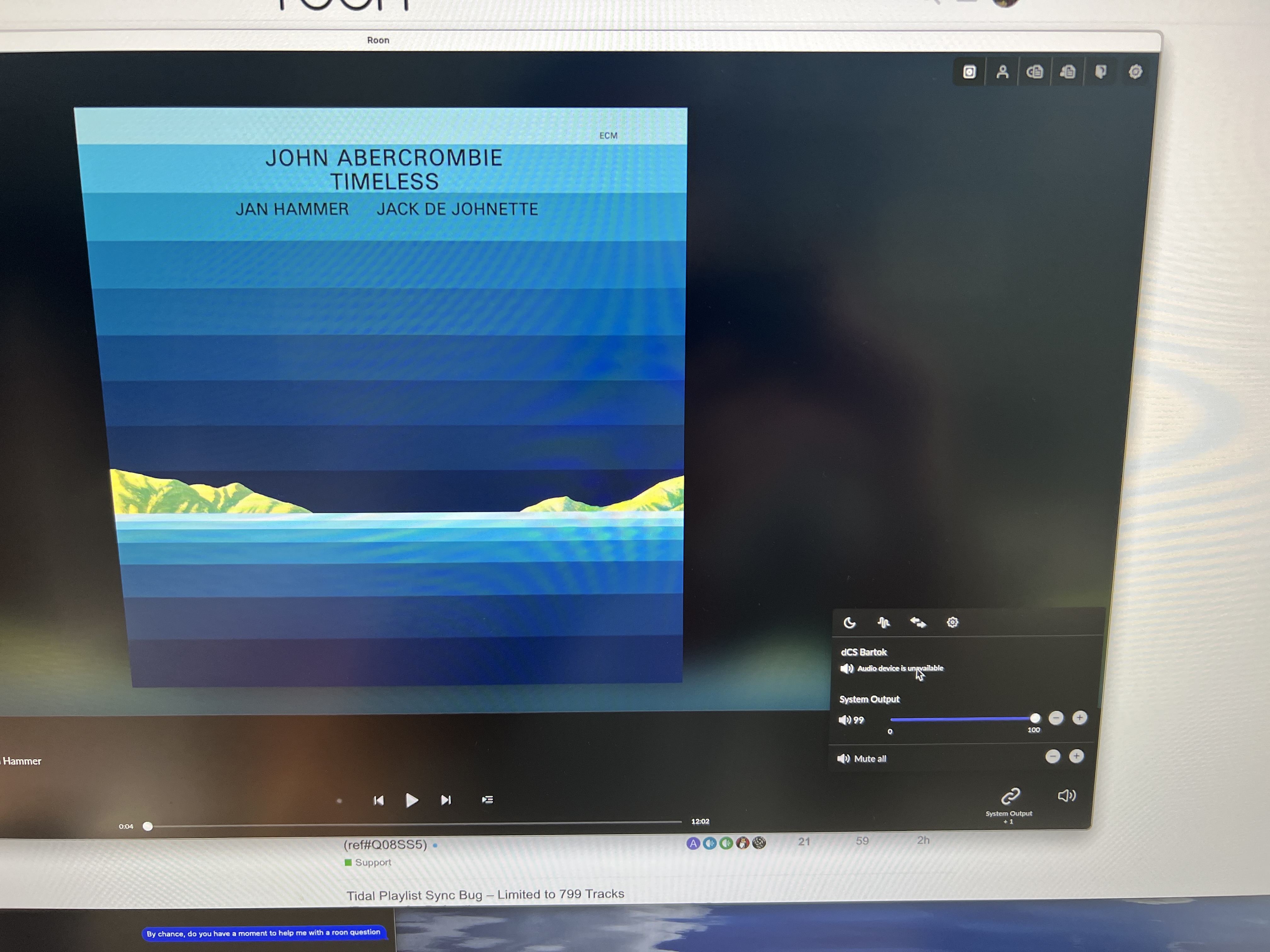
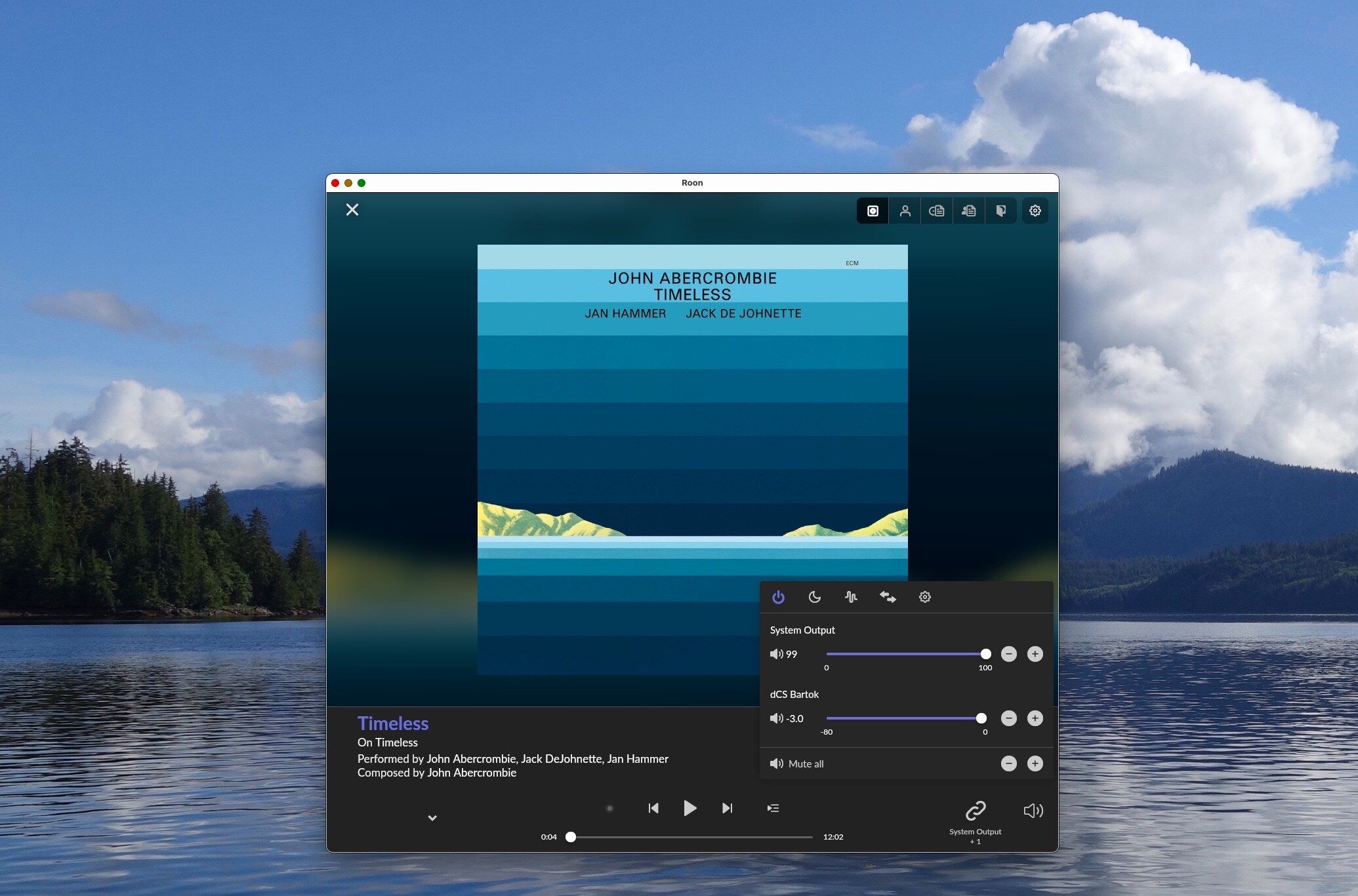
Over the past month or so, Roon shows up in DCS app and. on my main Roon Server (MacMini) but when I try to play things on the Bartok, it says “Audio device is unavailable”. Id love to pin this all on Roon and somehow get them to respond, but firgured it could be a DCS issue, and that someone here may have a solution or know the issue etc.
I am able to stream Qobuz and Tidal to the Bartok, so this only affects Roon.
My Bartok is on the same network as the MacMini Roon server.
Could be a MacOS issue as well.
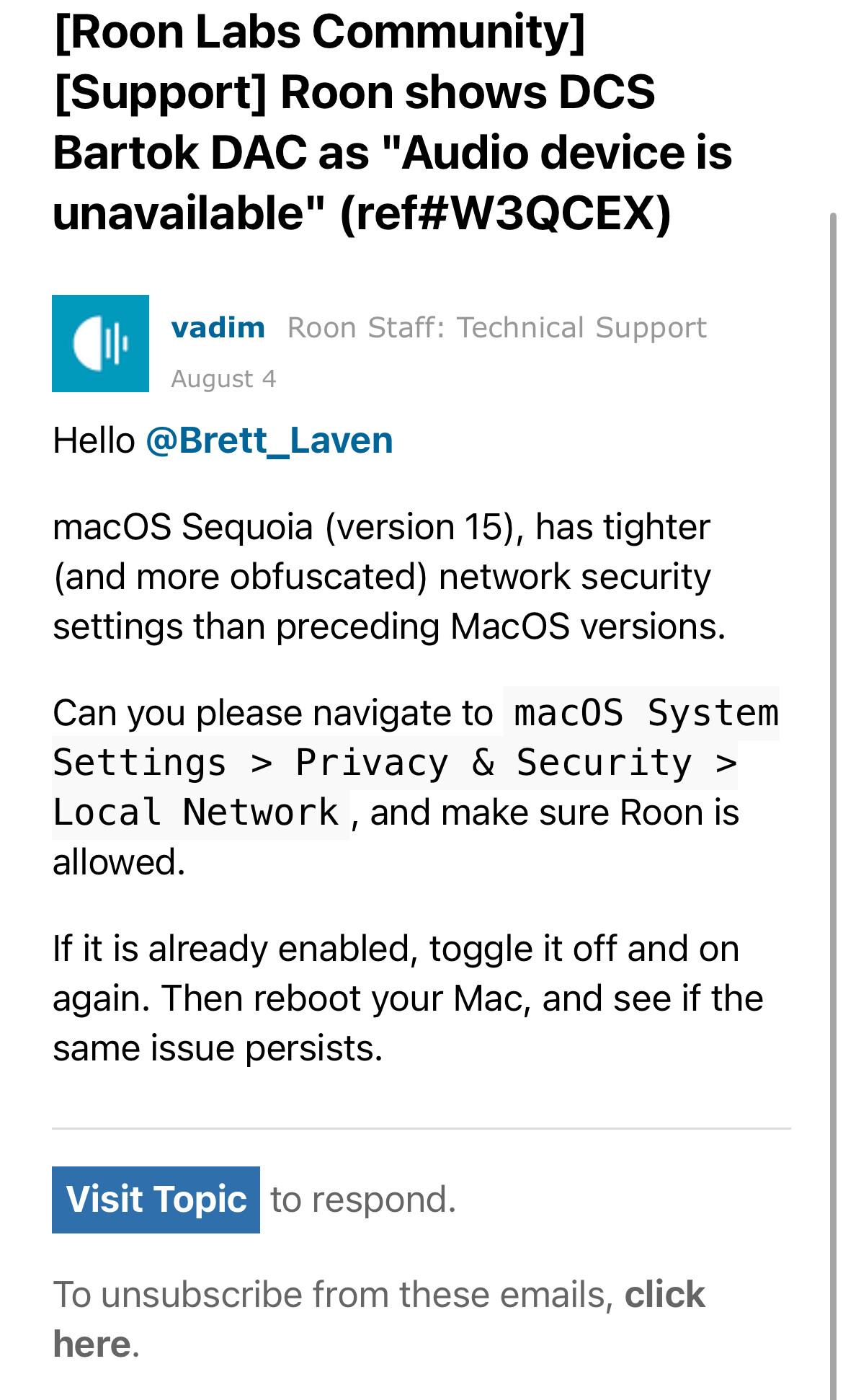
Sequoia is known to have increased network security to some level Roon server is unable to work out of the box:
Which MacOS version is installed on the Mini?
Hope this can help,
Erwan
PS: I’m myself a Bartok owner and a Roon enthusiast. I used to have my Roon server installed on a Mac Mini, but eventually found much more convenient to have my Roon server installed on a dedicated NUC using Roon ROCK. My Overall Roon experience is much better since then (no Mac OS constant updates that negatively interacts with or interrupts Roon usage)
That’s incredibly helpful. I will look into it. Although, it’s always difficult to place the blame when there are two or three companies involved. Ultimately the product is Roon and not everybody wants to buy separate hardware.
Although it’s not a perfect world, I would think it would be incumbent upon Roon’s engineers to communicate with Apple and make sure there aren’t these hiccups all the time if that is the issue. To me that seems to be a weakness of the Roon product, not the Apple product.
I completely agree but then Roon shouldn’t offer a server software solution for Apple. Just cut bait and say the issue is on Apple’s end, etc etc.
My Sonore Ultra Rendu has no issues with Roon off that Mac Mini. So it does seem odd.
I submitted a ticket with Roon. I’ll post an update for any others. It might be having similar problems or for reference for the future after I get an answer.
I own some older Aurender units and won’t be thrilled to purchase another server. But Roon does a lot of things Aurender does not, and I already have a lifetime license etc so hopefully can have it function on the Mac.
From what you opened on the Roon community forum, your Mac Mini is under Sequoia, therefore the link I provided should already help.
For what concerns the responsibility of the problem the piece of software here is a server. Servers come with high availability requirements that an Operating System non server oriented isn’t supposed to support out of the box.
Therefore a Roon server installation on either a standard MacOS or Win11 distribution will force end user to tweak the OS to correctly operate with Roon.
Those tweaks are usually easy to implement.
Otherwise, Roon provides its own servers HW+OS called Nucleus, but compared to what one can do with a simple NUC and a Manual installation of Roon ROCK, Nucleus solutions prices are a total rip off imho (especially for the Nucleus Titan)
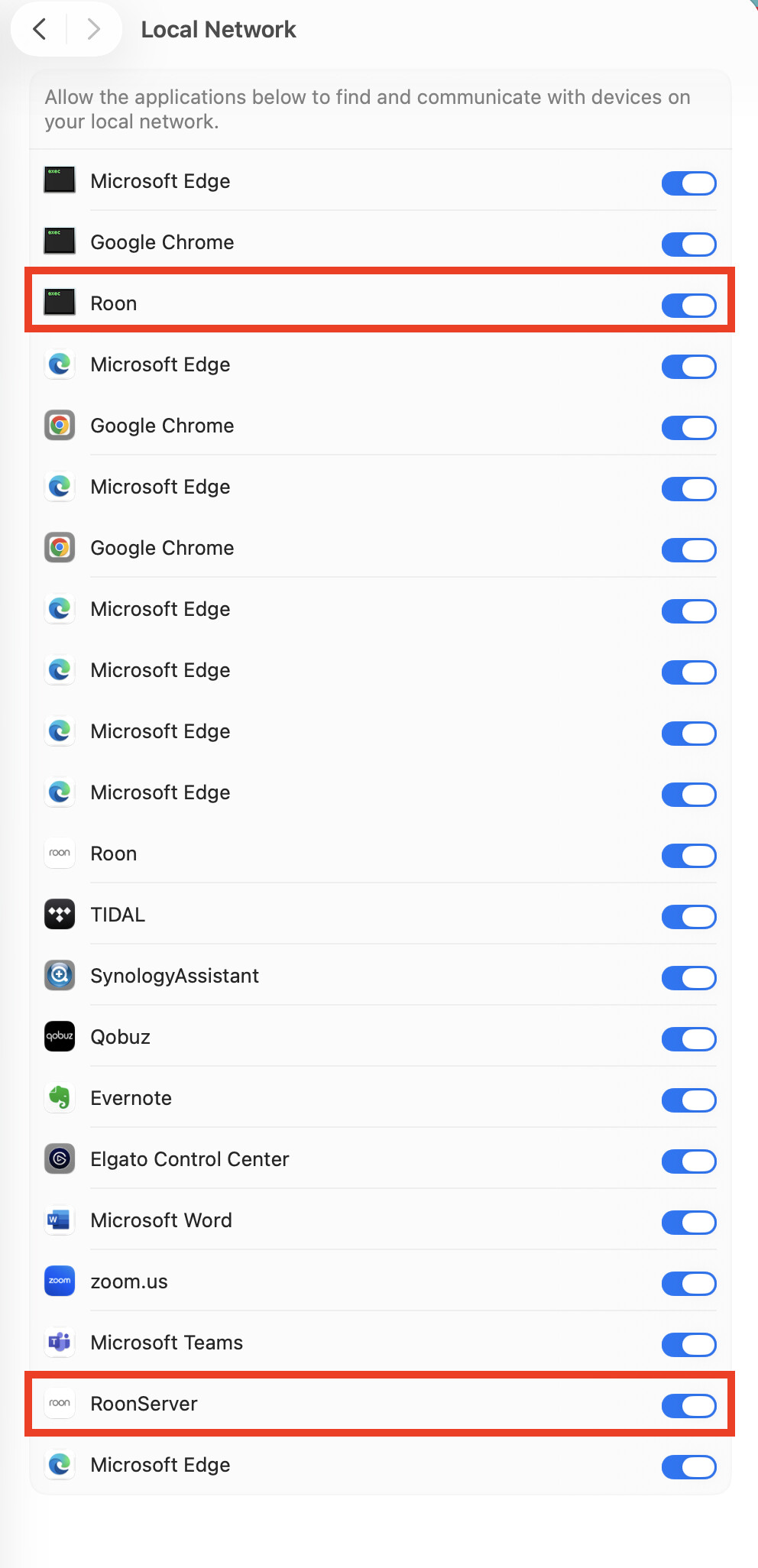
This worked for me when having the same issue / symptom. There were 2 “Roon” network settings that I needed to enable, initially I missed the second one, once I allowed that it worked fine since.
Also, sometimes after a Roon software upgrade, from experience when it doesn’t work then need to reboot the OS and after that it works fine.
Good morning. I finally got back in front of the computer and, followed the instructions in the Roon thread. I had the exact same thing sent to me by the room engineer (see attached). Unfortunately this did not work.
You mentioned that you needed to change two settings, and that you had initially missed one and once you changed that everything has worked fine. I don’t see that in the information Roon sent (this will be most embarrassing if I have missed it, after rereading and searching for it two or three times
If you have a moment, can you let me know what the second setting is that you needed to change to get it to work please?
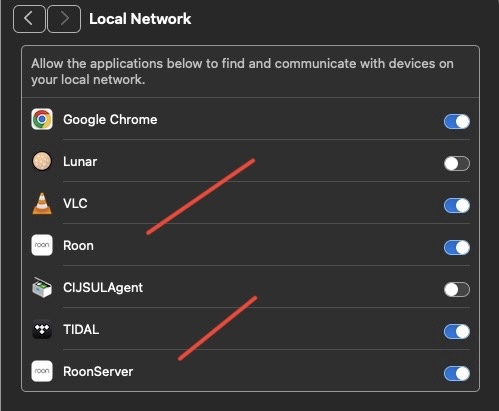
Sure, here are the two settings I had to enable. Mind you this is on macOS Tahoe 26.0 Beta, but maybe it also applies to your case. Plus try a computer reboot.
OK, problem solved. Thanks for all the support here.
Just for future reference in case someone else has the same problem, there are indeed two separate room items that need to be toggled off and back on which I hopefully labeled clearly below. I kind of feel like an idiot for missing the second one, but it certainly would’ve been helpful if Roon would have pointed out that there are two to toggle on/off
Separately, even though I’m an audio nerd and technophile, this is all about the music in the end.
As I’m looking at the last album, I tried to play, if you have not listened to this, add it to your short list of things to immediately listen to particularly this track
Thanks again for all of your patience and wisdom!
Brett
It’s one of the things I miss about CDs and why I still like vinyl is optically looking for an album and then finding something else you haven’t listened to in a while and just taking it out. I used to do this with CD/SACD all the time and it was so easy just to leave it out to make sure you listen to later.
I love the convenience and many aspects of streaming and my ripped digital library, but it’s just not the same optical/tactile experience as with physical media.
(of course they added bonus of vinyl and CDs. Is they work when my Roon connection goes down