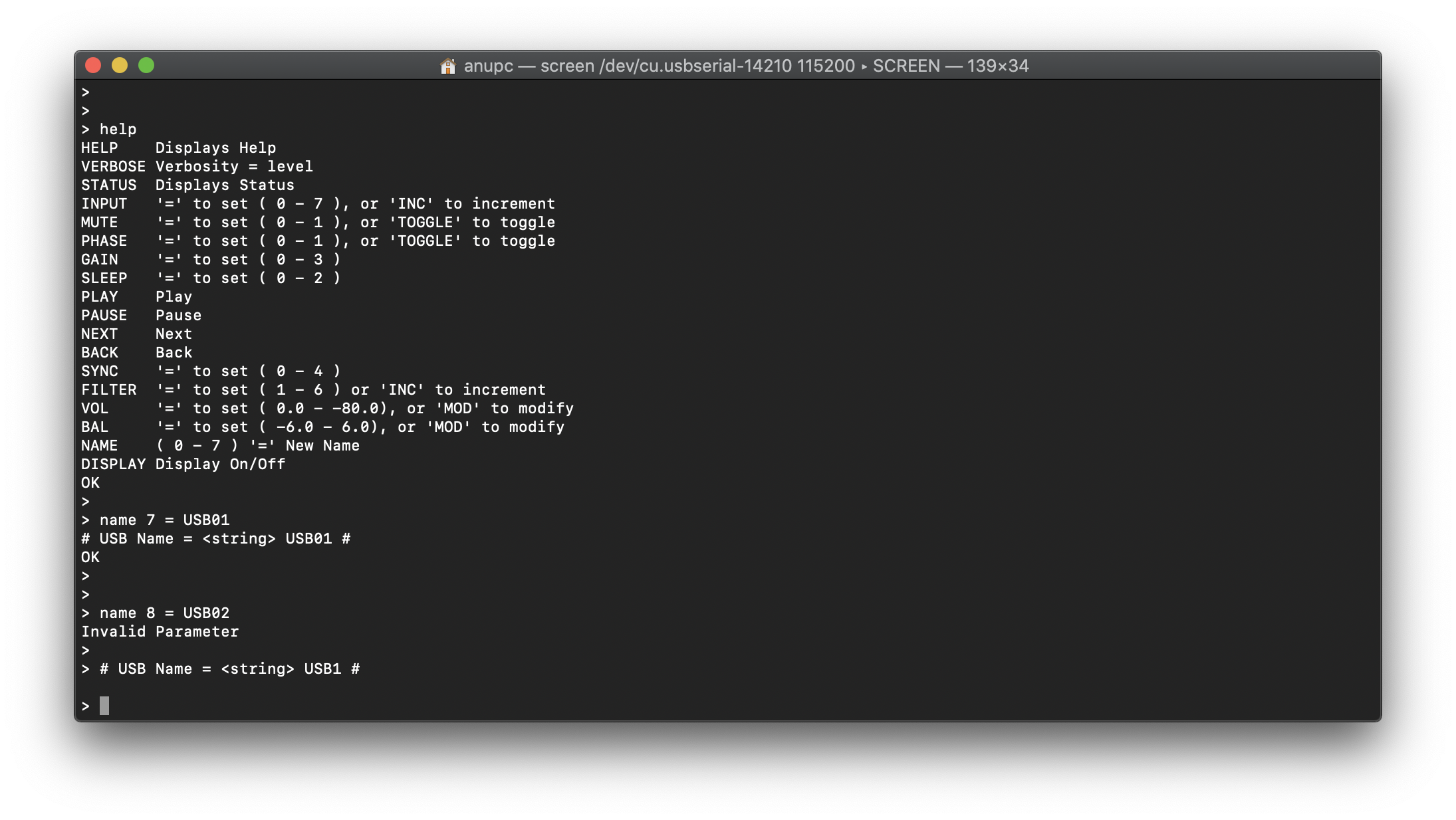
The manual gives the procedure for renaming the inputs on the Rossini Player via RS-232, but it just lists:
0: AES1
1: AES2
2: AES1+2
3: SPDIF1
4: SPDIF2
5: TOS
6: Network
7: USB1
Does the Rossini Player just have a three bit field for naming, or would doing a
NAME 8 = FOO
work to name the USB2 input?
I know I could just try it, as if it only supports a three bit field then “NAME 8” would either generate an error or rename input 0, but I thought I’d ask first.
I thought I recognised that question. You asked it before on 7th July . Still no harm in asking again I suppose as I don’t think that you got a conclusive answer then.
I don’t have the Rosinni, but the Bartok has the same port configuration including a USB2 port. Had some time this morning to take a look. It looks like USB2 can’t be renamed, just the 7 other ports and AES1+2 (0-7). A “name 8 = xxx” results in an “Invalid Parameter”.
HI - I am responding to a very old post but you seem to have accomplished what I am attempting - rename the inputs via RS-232. I installed Tera Term on my windows 11 laptop. Have a USB-to-RS232 cable I just bought, so I have no way of knowing if it works. Set the Vivaldi Upsampler to RS232 to T. Changed the baud to 4800, etc. As far as I an tell, everything is correct. The terminal program does recognize the RS232 cable. But the terminal program doesn’t respond or appear to be connect to the usampler. I understand if you can’t help me as it may be hard to debug remotely, but I thought I would at least ask.
It sounds like your USB to RS232 cable isn’t properly communicating with the device, as you should see a “>” prompt in response to carriage returns.
You may also want to try rebooting the Upsampler while you are connected to your PC as it might not respond properly if you connect the RS-232 on the fly.
Not sure I can add a lot, but perhaps just a couple of additional notes that might point you in the right direction;
The dCS component’s RS232 interface are DCE, but have a Male RS232 interface (not typical). So, make sure your USB-to-RS232 cable/interface is DTE with a female RS232 interface, or if it’s male, then use a female-to-female adapter
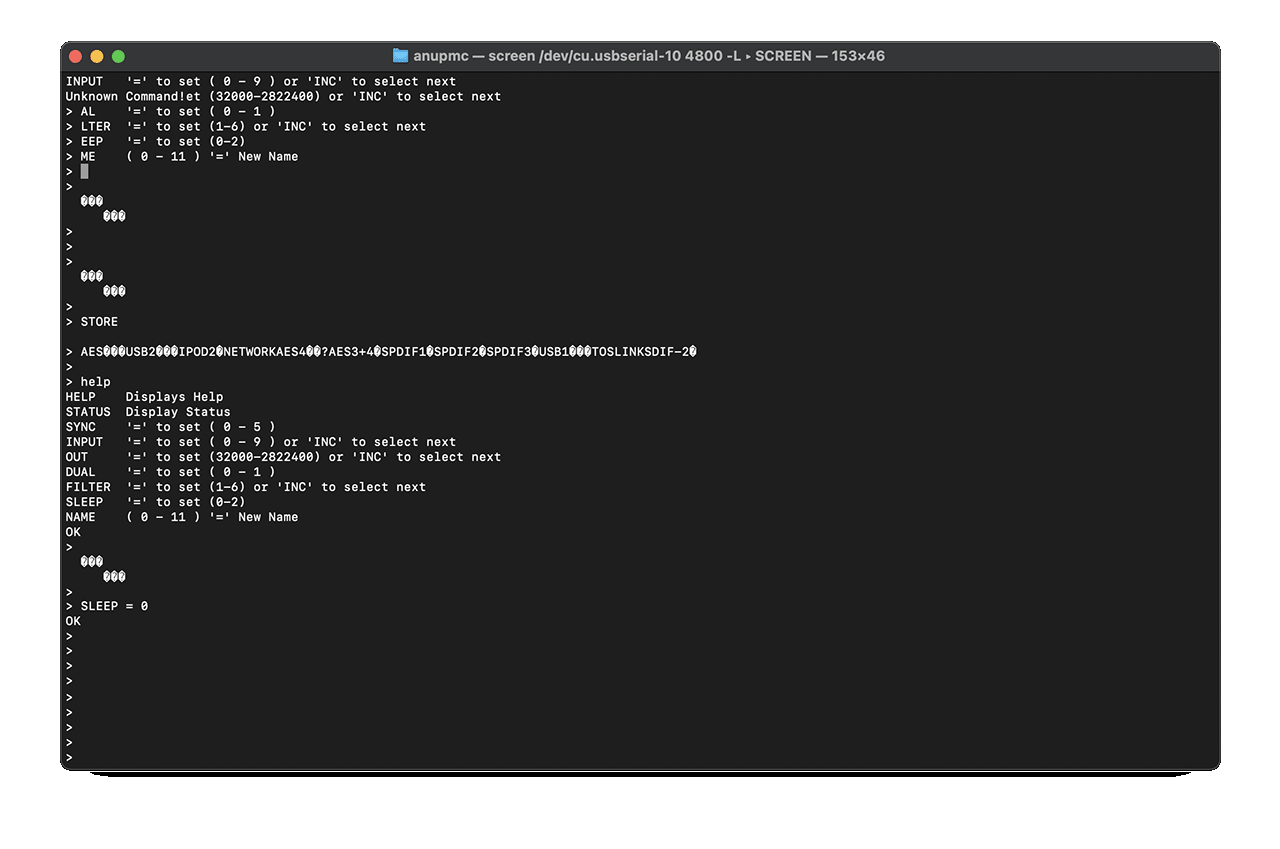
Switching the dCS’s RS232 from Binary to Text doesn’t require a reboot, the unit switches dynamically. If for some reason it’s in the wrong mode, if your USB-C to RS232 cable is working, you’ll still see stuff on your laptop screen, it’ll just be garbage
Here’s a screenshot of when I was testing switching between text and binary on my Vivaldi Upsampler awhile back;
Thanks Bill, Andrew and Anup for guidance. So far I am not having success. I am using a Cable Creation https://www.amazon.com/dp/B0134V3KIA?ref=ppx_yo2ov_dt_b_fed_asin_title&th=1 adapter, though I ordered an Amazon Basics then sent Cable Creations. I’m using PUTTY and got a loopback test to respond to keystrokes. Windows 11 does show the adapter installed as COM3 with a “Prolific” driver. I’ll see if I can get the Unitek adapter in the states. This isn’t an important thing I need to accomplish, I just thought it would be fun to rename the inputs. I only use 2 - network for ROON, and TOSLINK for TV.