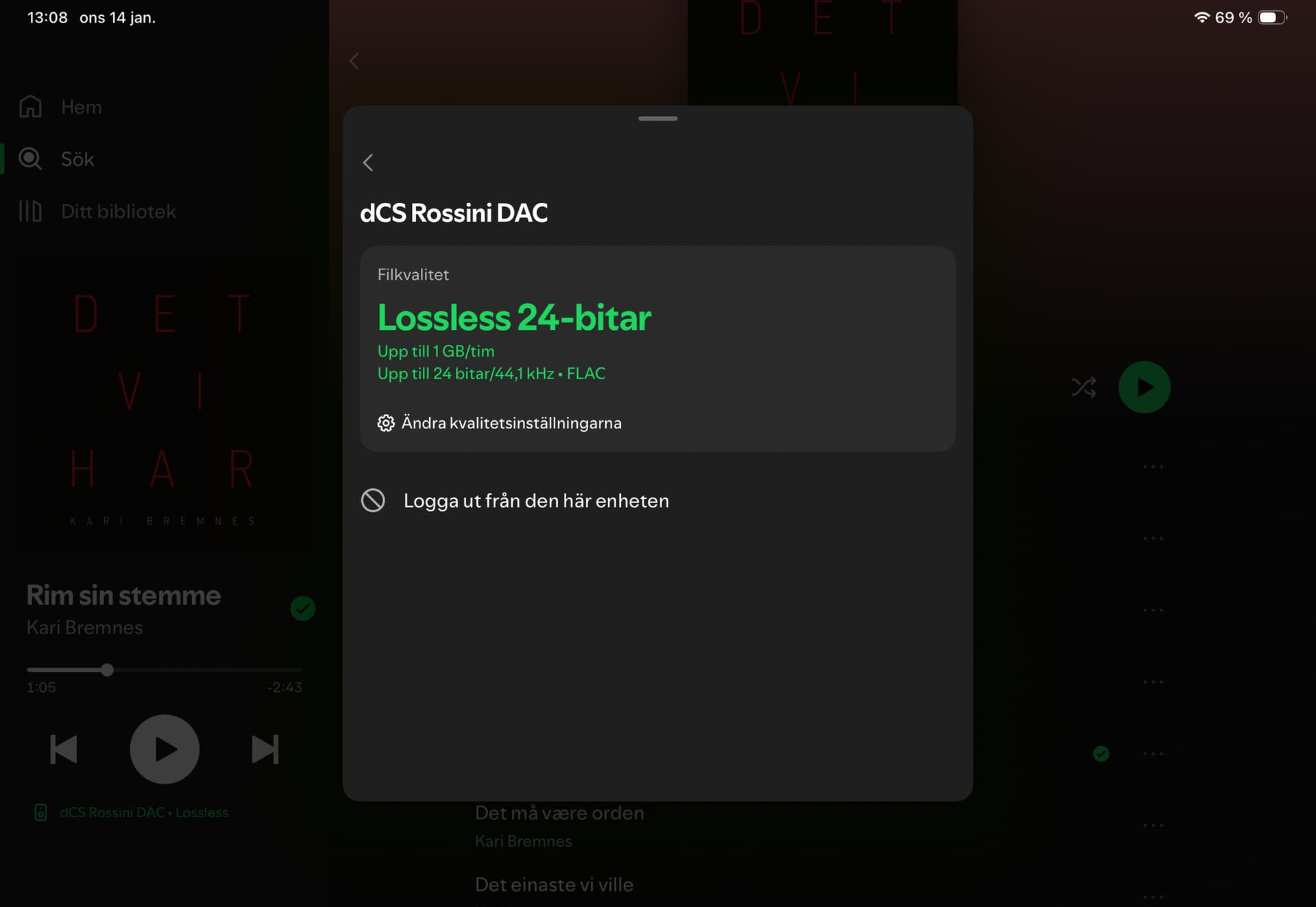
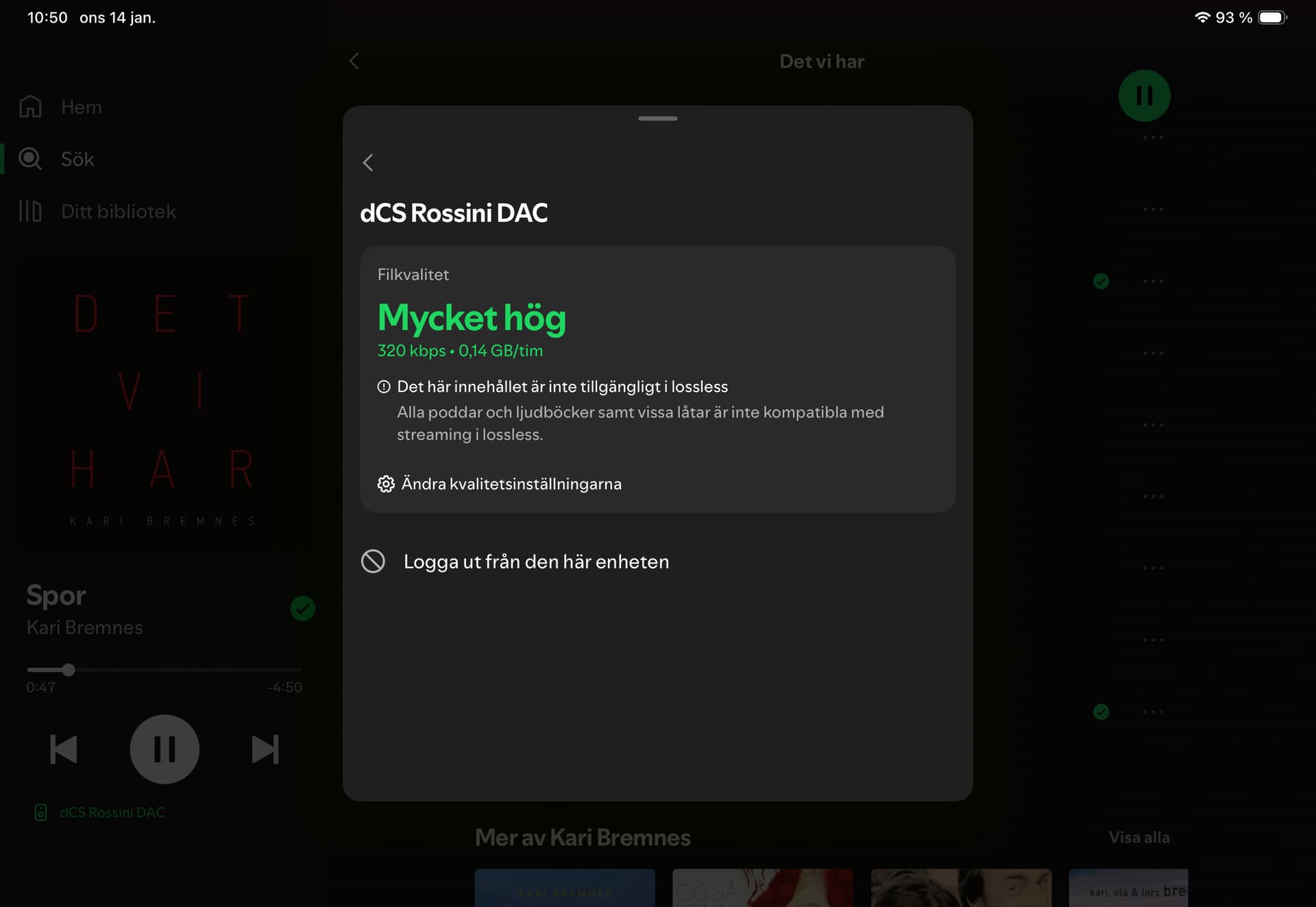
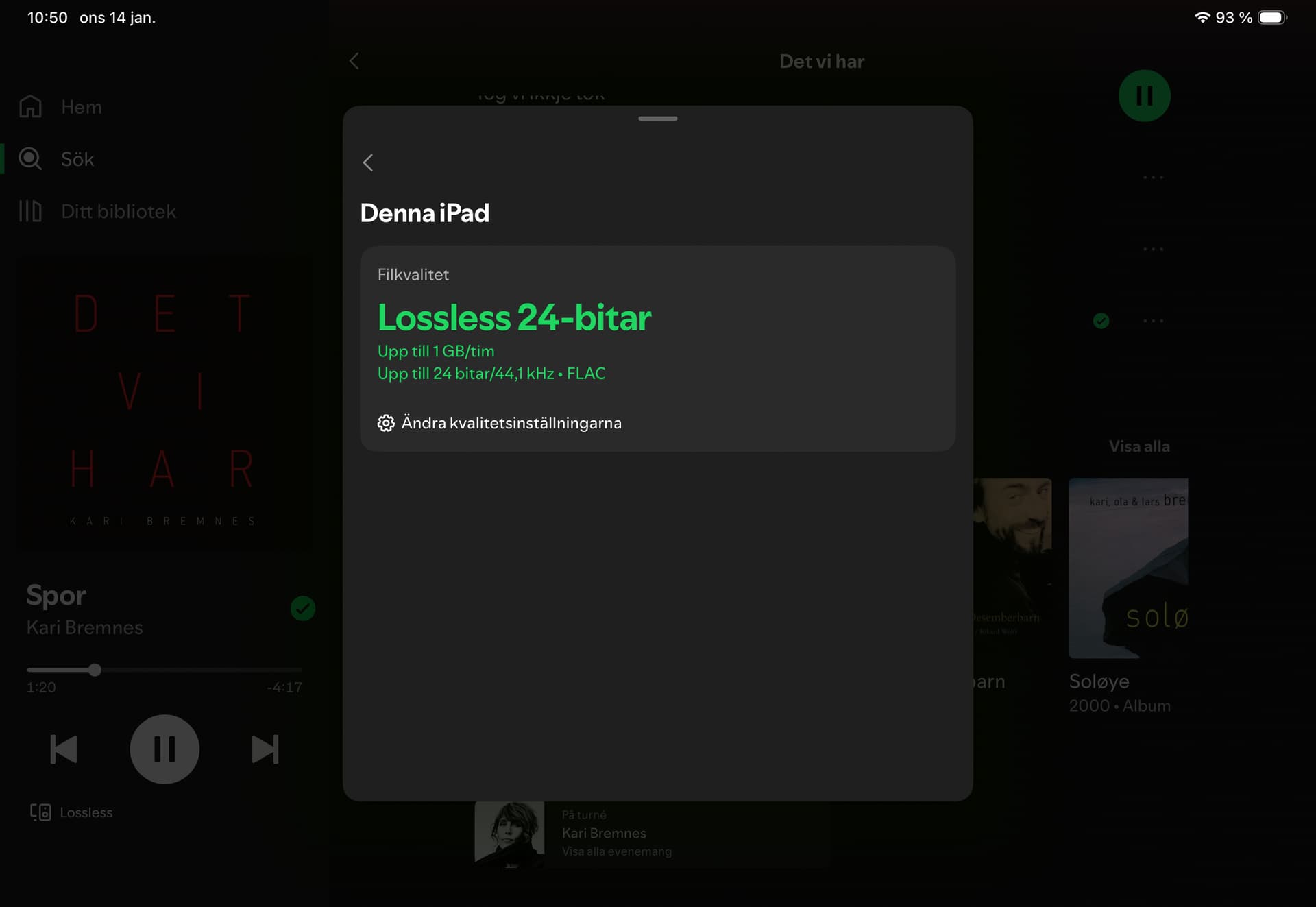
I have version 529 on my DAC and my Spotify are set to Lossless. When I play a file on my iPad (wifi connected) the app shows ”Lossless, 24/44,1”. If i change ”connected source”, bottom left corner, to my dCS Rossini, the app shows 320 kbps. My DAC is cable connected to my network. As I understand, I play the exact same file on two different sources, but when I stream via dCS through my amp and speakers, the Spotify app shows not lossless for the file and when I listen to my iPad, it shows lossless. Does this has anything to do with Bluetooth/Airplay? Guess not, while I stream via cable…on the dCS picture the swedish text says ”this content is not available in lossless”…
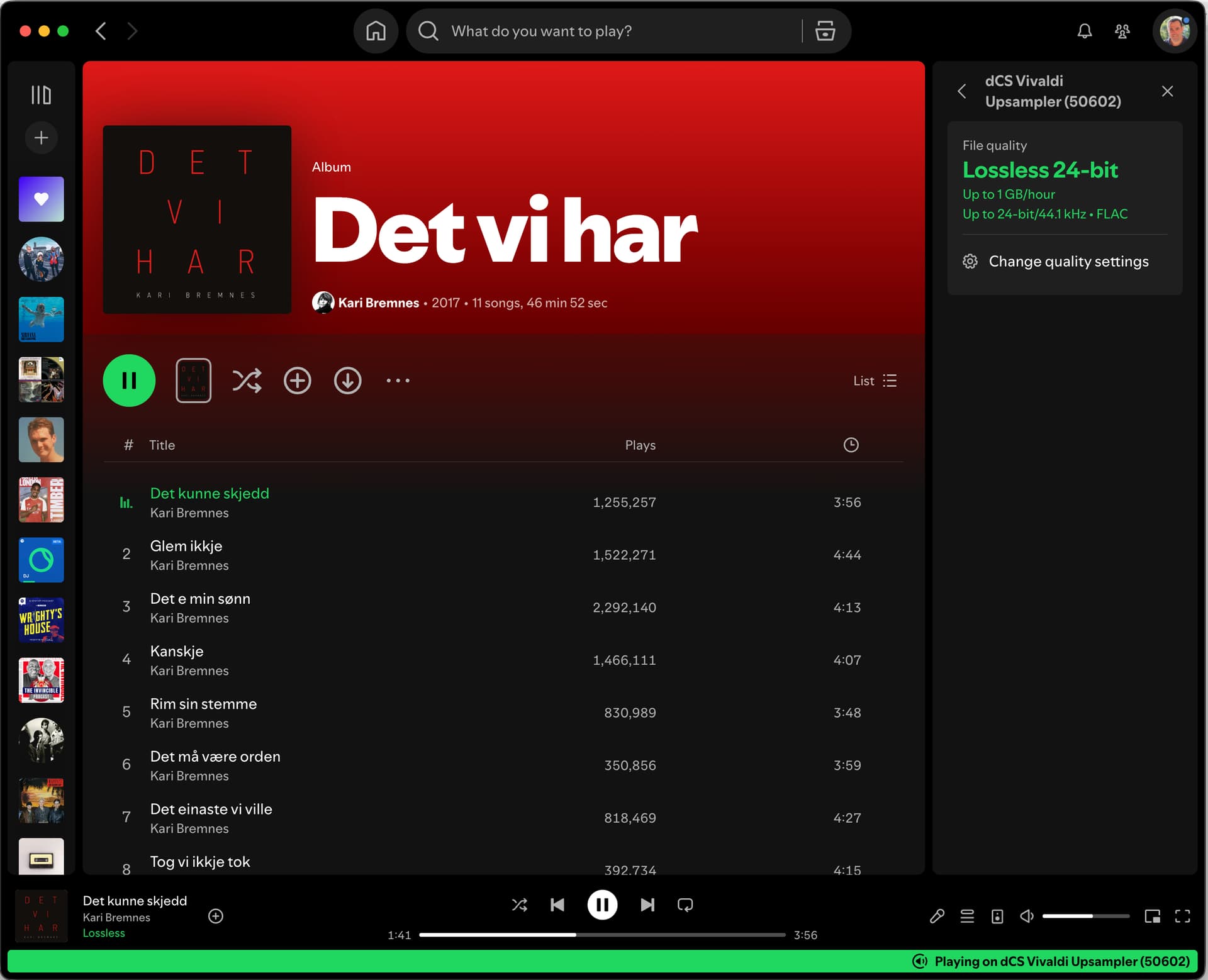
I just tested on my dCS Vivaldi as well, Spotify Lossless works perfectly on it as well.
Could be an issue with your Rossini? Maybe try rebooting it and try Spotify again 
It is difficult for me to go much further as I am not a Spotify subscriber so I cannot try to deplicate your issue. However when you select device change on the Spoify app screen on your i-pad and move to Rossini, does the sound move from the i-pad, to your main system?
It isn’t the source which has to be changed but the device i.e “speaker”, that the source ( Spotify) is serving. That is selected by the speaker icon at the bottom of the Spotify screen. Do you then see a list of devices to pick between which includes your i-pad and your Rossini?
Are your i-pad and Rossini connected to the same LAN group?
Yes, my iPad is connected wirelessly and my Rossini is connected with cable to the same network/LAN. I can move the music seemlessly between all my devices, including my iPad, iPhone, and Rossini. But, when playing on apple devices, Spotify shows the file as a 24/44 and when moving to Rossini the Spotify app shows 320 kbps. It seems like my Rossini doesn’t support Spotify Lossless (despite version 529)? Is there any way to view file info in mosaic to verify exactly what quality acctually is streaming through my dac?
I don’t recognize these screens, where are you, in Spotify app or Mosaic?
These are both from the Spotify App which I am running on my Macbook.
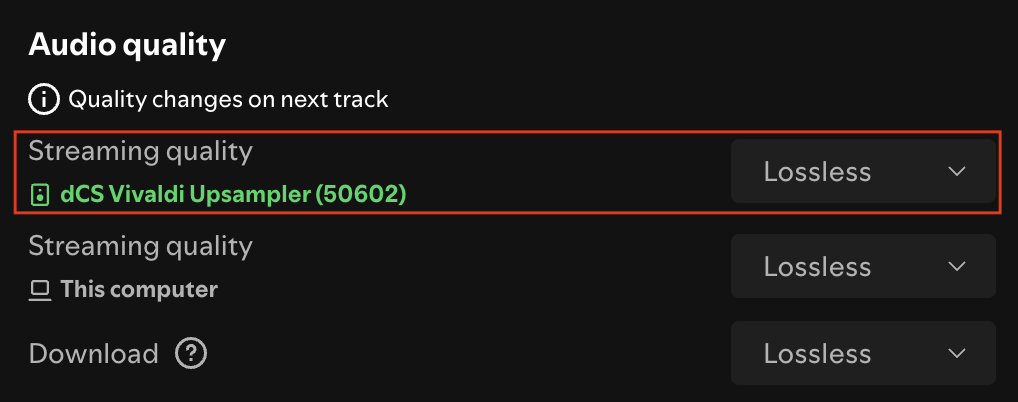
The upper one is the main screen from which I have pressed on the speaker icon to bring up Spotify Connect and then the right arrow next to my Vivaldi Upsampler to see the status for that unit.
The lower one is the main Settings screen which Is reached from Spotify/Settings on the Mac or by pressing your avatar top left and Settings and privacy/Media quality on an iPhone/iPad.
If you are switching from the Spotify app to Mosaic to see the Rossini screen then you are switching from lossless to the lossy service, hence your issue. For connect/lossless the Spotify app becomes the control point. It searches for compatible devices on your network and offers you a choice when you select the device using the loudspeaker icon at the bottom of the Spotify app.
Sorry Pete, you’re mistaken. When Spotify Connect is operating and playback on a dCS platform, Mosaic can be activated as normal, and it does NOT impact the playback service from the Spotify Client.
You can see my screenshot above that shows both the Spotify Client and Mosaic at the same time.