@Ermos I apologize for misquoting you but your analysis of the impact power cables have on the Clock are what I was trying to point out. I know when I trialed Shunyata’s Alpha NR v2 compared to Shunyata’s high end Omega QR-S power cable on my Rossini DAC, the improvement the Omega QR-S cable made was noticeable so I purchased the Omega QR-S.
I recently purchased a Rossini Clock and my dealer provided me with the same 2 Shunyata power cables that I’ll evaluate and will purchase the best Clock power cable. I also have 4 sets of Clock cables that I’ll be auditioning (Van Damme, Wireworld Gold Starlight 7, Audioquest Diamond and Cardas Lightning).
I also purchased a Farad LPS for my EtherREGEN that’s arriving today to replace the EtherREGEN SMPS
I believe that the Farad LPS will be better or at least as good as the EtherREGEN SMPS and will likely keep it in play during my evaluation of the power and Clock cables. I plan to only change one variable at a time starting with the power cable shootout and will listen with each setup for 5 - 7 days. I’ll then conclude with the Clock cable shootout.
I appreciate anyone recommending a better shootout approach.
@Ermos did you get burn in time to the cable? I never put a quality power cord on my system that I didn’t hear the diference. I now bought a Odin power cable but i have to run it almost 400 hours and ill do a little more. But i already see a big diference.
I would like to come again to this topic , Clock cable…
Mys setup is dcs Rossini integrated, clock Vivaldi and Clock 10mhz cybershaft. I used dcs , diy, Oyaide, cybershaft new digital cable and now shunyata sigma v2. I did already comparison sector, interconnected xlr cable and there are differences. But I didn’t expect to get so differences a clock cable. Last one tested was the shunyata, and differences are huged. How can it be explain ?
Part of it comes down to the fact that all cables have an inductance, capacitance and resistance. This means that the signal is forced to go through what amounts to an electrical filter.
Add to this that many clock signals are square waves which require an infinite bandwidth to replicate, all cables are going to change the signal in one way or another (depending on the frequency).
How it changes the signal will depend on the frequency, inductance etc mentioned above. Some more than others - and different people may well prefer the sonic signature of one cable over another.
The law regarding resistance, inductance and capacitance ( I believe Faraday) I understand applies in respect of a conductor rather than cable. The terms are not synonymous strictly speaking. A cable may be thought of as a device which contains at least one conductor. The device has other complexities which can affect those parameters viewed in combination ( " lumped" ), but also introduces other elements such as a dielectric ( other than air or a vacuum), connectors, shielding from parasitic interference, sheathing or even the geometry of construction and metallurgy. I doubt that this list is exhaustive. The variation of all of these may influence why they can sound different. A major issue however is which of them correlates with a particular sonic aspect and to whom that aspect is significant.
Getting a set of the Geistnote cables through Amazon was irresistible, so I did it, and am pleased with the sound quality improvement over those provided with the clock. Thanks!
I’m in the market for clock cables having decided to have a little play with them. Was going to start with some of the low cost options indicated - and then perhaps borrow a couple of ChordMusic ones my dealer has, which are decidedly “not cheap”
But I was intregued by this comment.
I’m not aware that the inputs/outputs on my Rossini and Clock are labelled with frequencies, so I’ve just done left to left and right to right. Pretty easy in a stack.
Hope I’m not missing a trick?
(Always nice to have things easily identifiable of course)
the clock ports are not left and right. Several functions on dCS equipment may not necessarily work intuitively is which which is why I would always advise reading the user manuals.
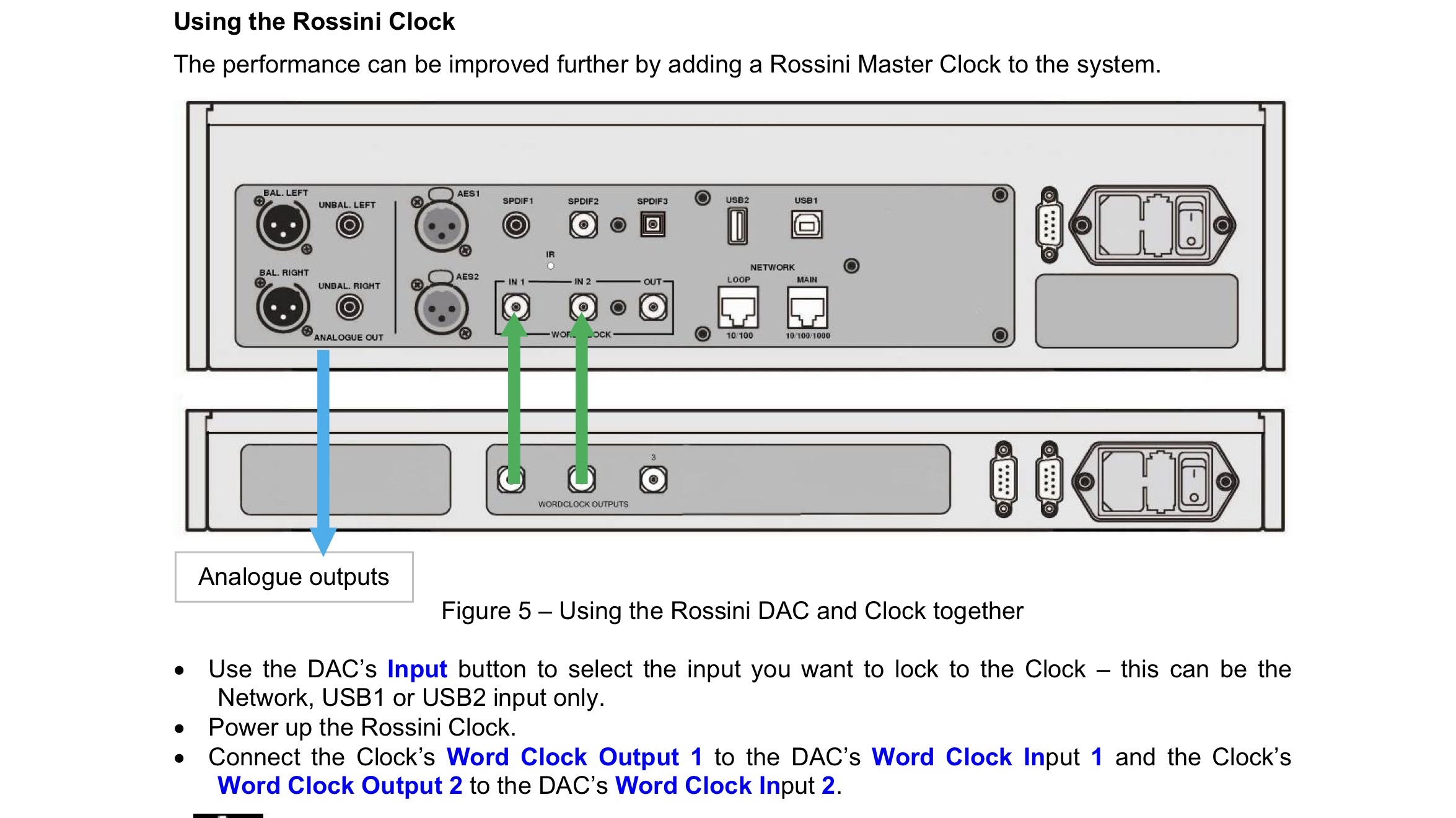
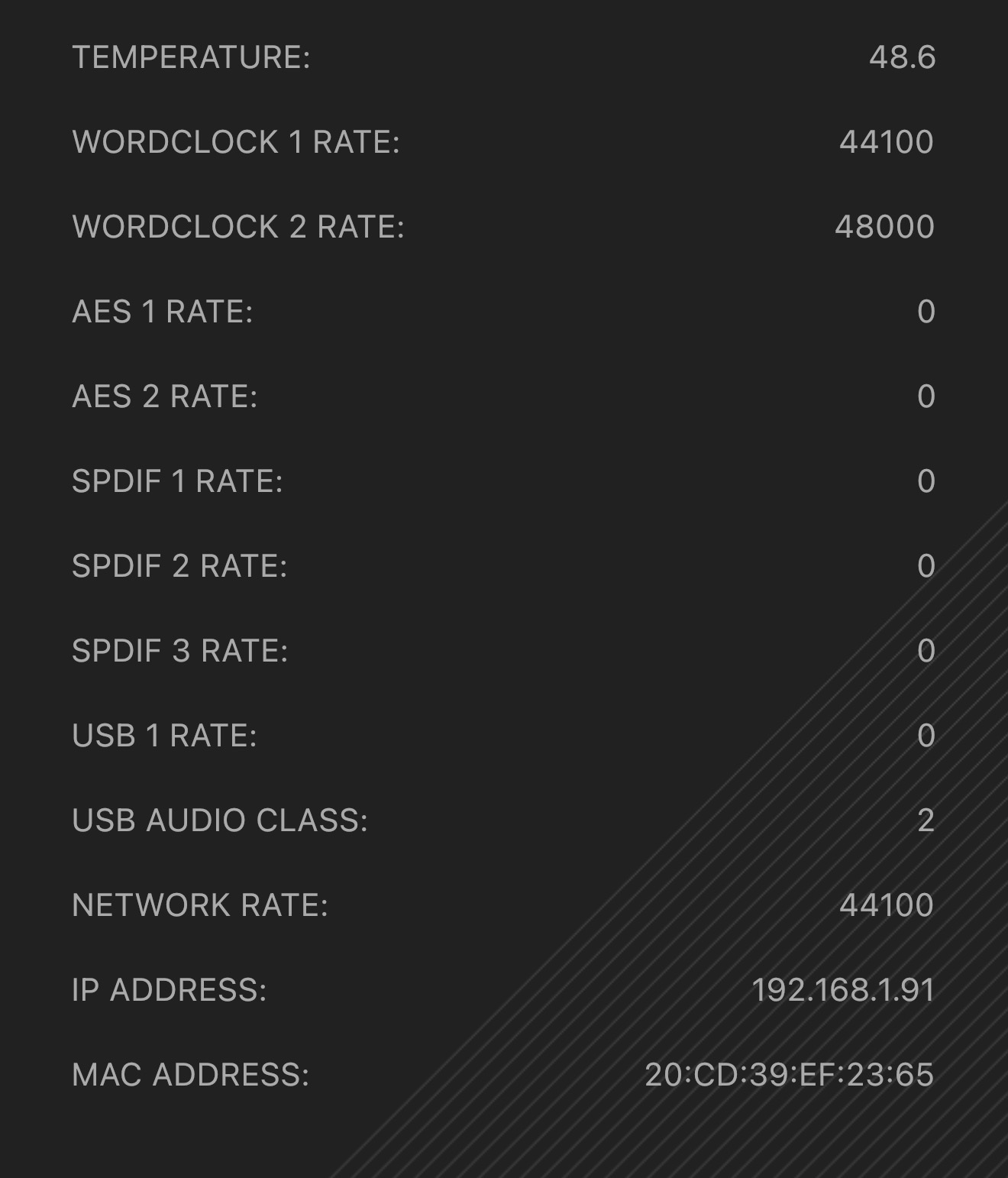
The two clock outputs generate 44.1 k or 48K signals respectively ( not labelled. they are just called 1 or 2).This enables automatic switching according to incoming music data. However so long as clock output 1 or 2 mate with the same DAC numbered clock input ports all will be OK anyway as you are achieving the same end in practice.
Sorry - I do know that of course - I meant the socket of the left of the clock going to the socket on the left of the DAC. And the socket on the right going to the socket on the right of the DAC.
1 into 1 and 2 into 2 (but it’s hard to see the numbers - so I just use left and right!)
Correct. as with a Vivaldi stack there are double cables from clock to upsampler and clock to DAC or transport. Confusing to connect without the aid of colour coding.
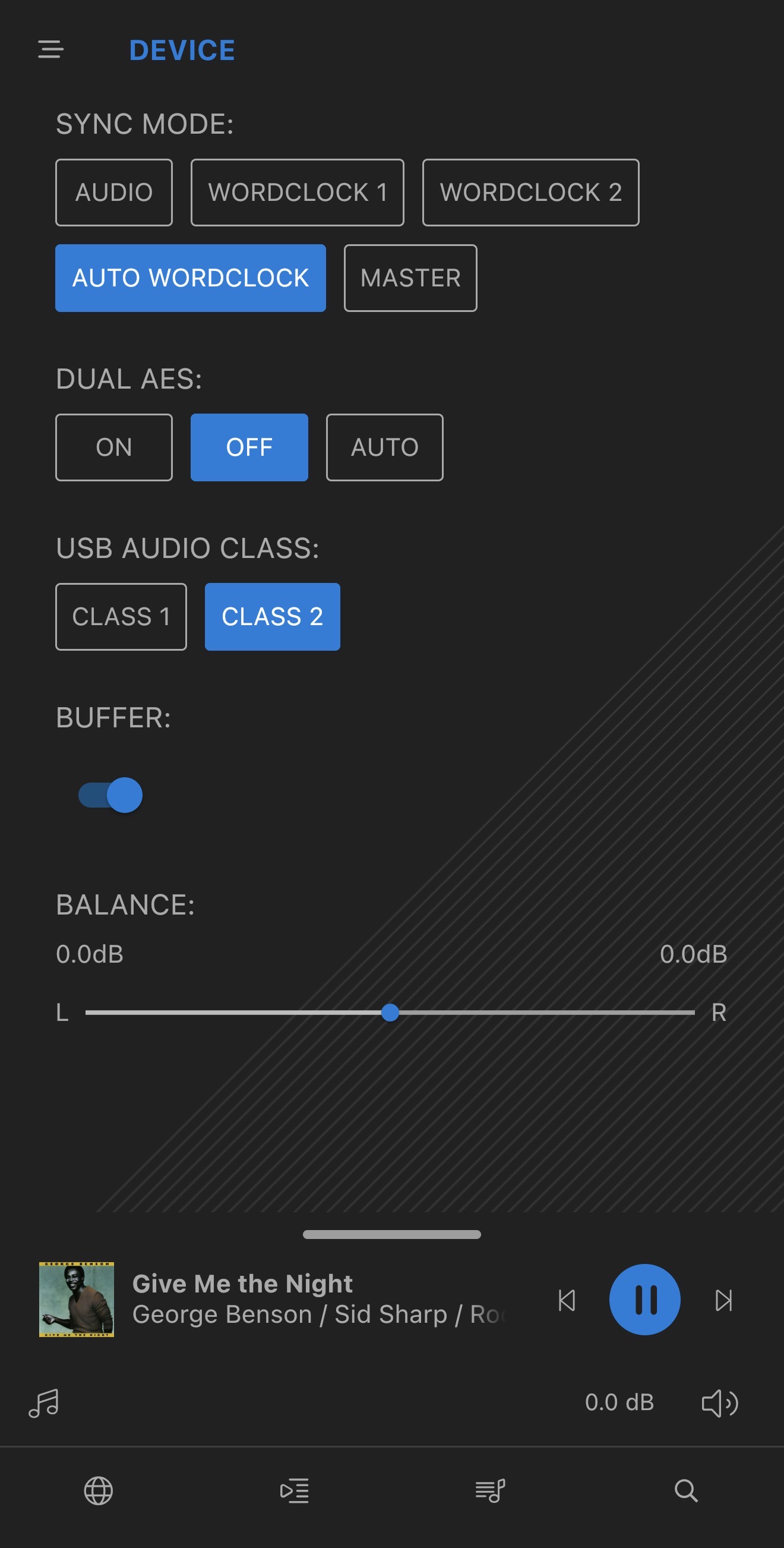
if your dCS DAC is set to auto Wordclock, it doesn’t matter which rate is connected to which input as the device will automatically select the correct Word Clock input depending on the sampling frequency of the content being played.
Auto Word Clock is represented in Synch mode settings by the letter W with no numbers following it, not the letter A (that many assume refers to auto).
Great - thanks - I actually had it set on Wordclock2 - which was delivering the same result in the status of a lock on both frequencies, but Auto seems like like the sensible selection.
I used the stock cables between my Rossini apex and Rossini clock until about 6 months ago. I was happy with the sound but then I bagged a pair of apogee wyde eye clock cables . I’m not usually sensitive to different cables but I found these made the stereo image more precise / focused and so for £120 they were a risk free punt .
 second, is just one cable and I actually like to see the evolution
 - I meant the socket of the left of the clock going to the socket on the left of the DAC. And the socket on the right going to the socket on the right of the DAC.